


My Hurricane Tracker Pro
4.8177.00 Reviews
App Specs
- Version
- 26.4.1
- Updated On
- License
- $3.99
- Downloads
- 10,000+
- Developer
- JRustonApps B.V.
- Categories
- Weather
- Platform
- Android
Screenshots
 Analysis by AppCompare
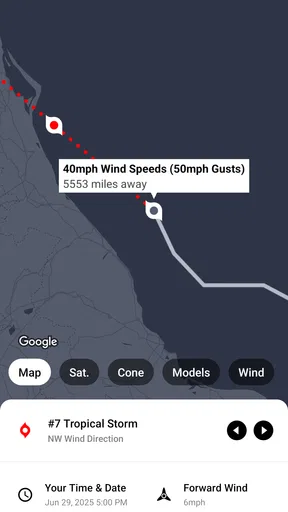
When severe weather is approaching, I do not want a colorful forecast that leaves me guessing what is happening beyond my neighborhood. I want to see the wider system, understand whether it is moving toward people I care about, and check the situation without sorting through several unrelated apps. That is where My Hurricane Tracker Pro makes sense. It is a paid weather app from JRustonApps B.V. built around hurricanes, tornadoes, and cyclones, with forecasts and maps that put dangerous weather in a more focused context.
I reviewed it as the kind of tool a household might keep on a shared tablet or install on several personal phones. It is not a replacement for official emergency instructions, and I would never treat an app as the only source during a warning. Still, I found its specialized approach more useful than a standard weather app when the question is not simply “Will it rain?” but “Where is this storm going, how quickly could the situation change, and what should I keep watching?”
A practical weather screen for a shared household
The strongest use case is a family or household that follows tropical systems, lives in an area exposed to severe storms, or has relatives along a storm’s projected path. One person can open the app to inspect the larger weather picture, while another can use the information to decide whether to adjust travel, check supplies, or contact someone in another city. That shared context is valuable because ordinary weather apps often focus tightly on one saved location.
I especially like the idea of using it on a common device during an active weather event. A tablet in the kitchen, hallway, or living room can become the place where everyone checks the same map instead of passing around one person’s phone. The app’s focus on storm tracking makes those conversations easier: you can discuss the system itself, not just isolated temperature and rain icons.
That does not mean every member of a household needs the same level of detail. Someone who only wants to know whether to take an umbrella may find the hurricane and cyclone material excessive. A person responsible for travel, outdoor work, relatives in another region, or emergency preparation is more likely to appreciate the dedicated view.
My advice is to use the app for awareness and context, then confirm urgent decisions through local authorities and official alerts. A projected path can change, and a broad storm map cannot explain every street-level risk. The app helps me ask better questions; it should not replace evacuation orders, local warnings, or direct instructions from emergency services.
What the focused design changes
General weather apps are usually better for routine life. They are convenient for hourly conditions, daily planning, pollen, air quality, or a quick look at the temperature. My Hurricane Tracker Pro earns its place beside them because it concentrates on named severe-weather situations and map-based tracking. That difference becomes important when a storm is far away but still relevant to a household.
Worth Reading Before You Choose

Flipboard Shows What News Apps Must Do Beyond the Feed

Switching to Android Auto Means Rethinking Your Driving Routine

Google Calendar Makes a Crowded Week Easier to Manage

Ludo King Makes the Most of the Minutes Between Plans

Baby Panda World Brings Quick Play to Modern Phones, but Its Game Library Feels Busy

ESPN’s Live Game View Makes Following Close Games Easier
A useful habit is to start with the broad map rather than immediately focusing on one address. I can first understand the storm’s overall position and direction, then narrow my attention to the places that matter. This avoids a common mistake: checking only local weather and missing the fact that a distant system is developing into something that could affect travel or family plans later.
Another practical insight is that the app works best as a monitoring tool between official updates, not as a dramatic alarm screen. I would open it at sensible intervals, compare what has changed since the previous check, and share the important conclusion with the household in plain language. That approach is calmer and more useful than repeatedly refreshing without a specific question.
Setting it up without confusing personal and shared use
Because this is a weather app rather than a household management service, I would decide in advance who is using which device and for what purpose. On my phone, I would use it for personal monitoring and travel decisions. On a shared tablet, I would treat it as a reference screen for everyone. That simple boundary prevents one person’s viewing habits from becoming the assumed plan for the entire household.
The paid model also deserves a clear conversation before installing it on multiple devices. The listed price is $3.99, and in-app purchases are shown at $0.99 per item. I would check the purchase screen carefully and make sure the person using a shared device understands which actions may involve an additional charge. This is particularly important when children can access the same device, even though the app is suitable for Everyone.
I would not hand the app to a child and expect the interface alone to teach emergency judgment. An adult should explain the difference between looking at a forecast and receiving an official instruction. A child can learn useful weather awareness from the maps, but the household still needs a simple rule: adults decide what action to take, and official emergency messages take priority.
For a shared setup, I would also agree on a small routine. For example, one person checks the storm map before a planned trip, another confirms the local authority’s guidance, and everyone knows where the household’s emergency information is kept. The app cannot create those procedures for you, but its focused information can support them without forcing the family to search through unrelated forecast screens.
Coordinating around relatives, travel, and changing plans
The most useful coordination scenario I found is a household split across locations. Imagine one person living near the coast, another working inland, and a relative several hours away. A standard local forecast may show different rain icons for each place, while a storm-tracking view helps everyone understand that those conditions may be connected to the same larger system.
In that situation, I would avoid forwarding a screenshot without explanation. Instead, I would send a short message such as: “The system is still being monitored; please check your local warning page before deciding whether to travel.” The app gives me visual context, but the message should identify what is known, what is uncertain, and what the recipient needs to verify locally.
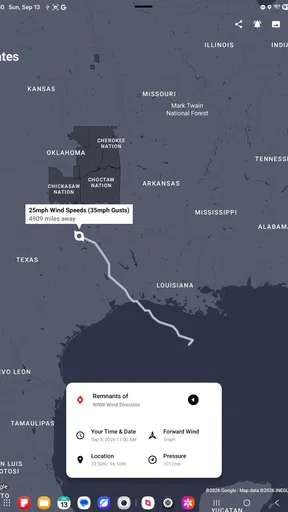
This is also where the app’s maps can be more helpful than a simple written forecast. A map supports a conversation about direction and proximity, while a text forecast may be read too narrowly. I can show a household member why a trip might become complicated even if the destination currently looks calm. That is a subtle but important benefit for planning.
There is a trade-off, though. More information can create false confidence. Seeing a projected route does not mean areas outside that route are safe, and a household should not interpret the center line as the only place that matters. I would use the map to identify questions for official guidance, not to draw my own safety boundary.
For everyday coordination, I would keep the app separate from the household’s main messaging or calendar routine. It can inform a decision, but it does not replace a shared conversation about pickup times, work changes, transport, medication, or where people will meet. That separation keeps the app useful without asking it to perform functions it was not designed to provide.
Age, trust, and the limits of a weather app
The Everyone rating makes the app approachable for a household with different ages, but suitability is not the same as independence. Younger users can explore weather maps with an adult, learn basic storm vocabulary, and understand why conditions may change. They should not be expected to interpret a serious situation alone or decide whether a warning applies to them.
Trust matters just as much as age. I would rather teach a teenager to compare the app with local emergency information than tell them that any single forecast is automatically correct. That lesson is useful because severe weather is uncertain by nature. A responsible user should know when to stop studying the map and follow a direct instruction.
For older relatives, the value may be less about exploring every detail and more about having a clear visual reference during a phone call. I would show them how to identify the relevant region and how to describe what they are seeing without turning the app into a source of panic. On a shared screen, an adult can guide the conversation and reduce the risk of someone misunderstanding a map.
Privacy and account boundaries should be handled practically. I would not assume that a shared device creates separate personal spaces, saved preferences, or family profiles. If different people use the same tablet, they should agree on how it is left after checking a storm, and anyone who wants a personal setup may prefer using their own phone. Keeping that distinction clear avoids presenting shared access as a feature the app does not promise.
How it compares with ordinary weather alternatives
For routine forecasts, I would still reach for a mainstream weather app first. Those services are generally faster for checking today’s temperature, deciding what to wear, or planning a short walk. If your needs stop there, paying for a specialized hurricane tracker may feel unnecessary.
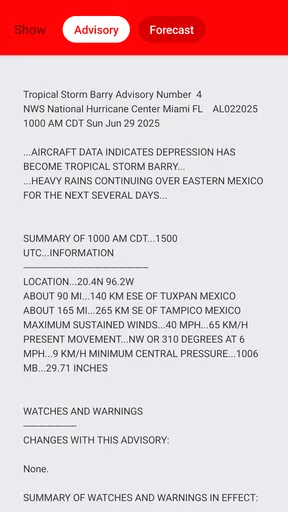
For severe-weather awareness, however, this app has a clearer purpose. Instead of making me assemble a picture from a local forecast, a radar screen, and separate news pages, it starts with the storm itself. That can reduce the time needed to understand a developing hurricane, tornado, or cyclone, especially when I am monitoring more than one location.
It is not necessarily the best choice for someone who wants a complete emergency information system. I would choose official local alert channels for evacuation instructions, a general weather service for everyday conditions, and perhaps a radar-focused tool when very short-term precipitation movement is the main concern. My Hurricane Tracker Pro is most convincing in the middle: specialized enough to explain the larger storm, but not a substitute for every other weather resource.
The app’s value also depends on how often severe weather is relevant to you. A coastal resident, frequent traveler, weather enthusiast, or person with family in affected regions can justify keeping a dedicated tracker available. Someone in a mild climate who only checks occasional forecasts may get more practical use from a free general-purpose option.
Version, cost, and the ownership decision
The current version is 26.4.1, and the app requires Android 8.0 or later. That makes the compatibility question straightforward for anyone using an older phone or tablet: check the operating system before paying, particularly if the shared household device has been sitting unused for years. I would also update the device itself where possible, because weather information is not the place for an unreliable or neglected setup.
The app has an average rating of 4.8 from around 1.1 thousand ratings, with 177 written reviews and over 10 thousand installs. Those figures suggest a small but strongly positive user base rather than the reach of a mass-market weather platform. I read that as a sign that the app appeals to a specific audience: people who want dedicated storm tracking, not simply another general forecast screen.
The cost is reasonable only if the specialized focus matches your habits. I would not buy it for a child’s occasional curiosity or for a household that already has no interest in tropical systems. I would consider it worthwhile for a family that routinely follows storms affecting relatives, travel routes, or property. The extra in-app purchase cost also means I would review each optional purchase rather than assuming the initial payment covers every possible addition.
One non-obvious trade-off is attention. A dedicated tracker can make me better informed, but it can also tempt me to watch a storm continuously. I find it more useful when I define a purpose before opening it: check whether a relative’s region is becoming relevant, understand a travel risk, or compare the latest situation with official guidance. Without that discipline, even a good map becomes background anxiety.
My household verdict
I recommend My Hurricane Tracker Pro to households that need a shared understanding of hurricanes, tornadoes, and cyclones. Its focused maps and forecasts make it more meaningful than a standard weather app when the storm itself is the subject. I can see it working well on a family tablet, during calls with relatives, or as a personal planning tool for someone who travels through affected regions.
I would skip it if you only want a simple daily forecast, if your device cannot run Android 8.0 or later, or if you expect the app to deliver official emergency decisions for you. I would also avoid treating the Everyone rating as permission for unsupervised emergency use by children. The app is accessible, but interpreting severe weather still requires maturity and context.
My final view is positive but deliberately practical: this is a specialized companion, not a complete safety plan. I would pair it with local alerts, keep household communication clear, and use its maps to understand the bigger picture before making decisions. For the right user, that focused perspective is exactly what makes the $3.99 purchase worthwhile; for everyone else, a reliable general weather app may be the better everyday choice.
Pros
- Clear hurricane maps make storm paths easy to follow.
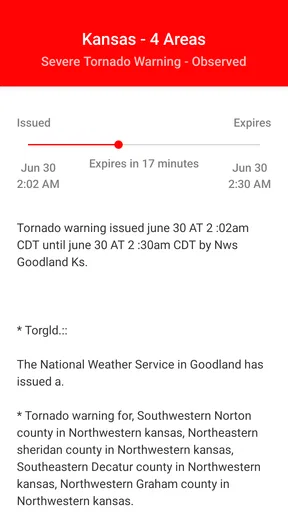
- Custom alerts help users monitor selected storms and locations.
- Detailed storm data supports better travel and safety planning.
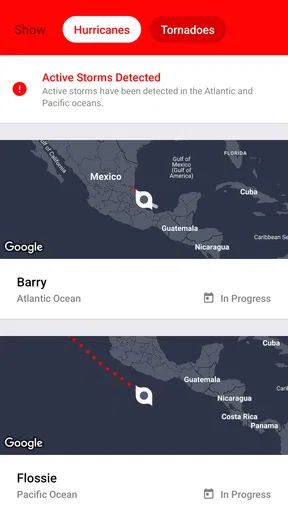
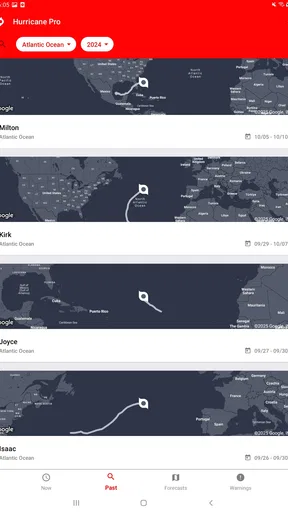
- Useful tracking tools cover multiple regions and ocean basins.
- Ad-free experience keeps the interface focused and less distracting.
Cons
- Some advanced features may require an additional purchase.
- Forecast accuracy depends on the quality of available weather data.
- Frequent alerts can become overwhelming during active storm seasons.
- Maps and radar may load slowly with weak mobile connections.
- The amount of storm information may feel complex for casual users.
FAQs for My Hurricane Tracker Pro
What is My Hurricane Tracker Pro used for?
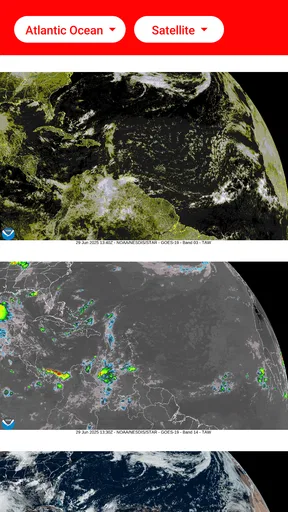
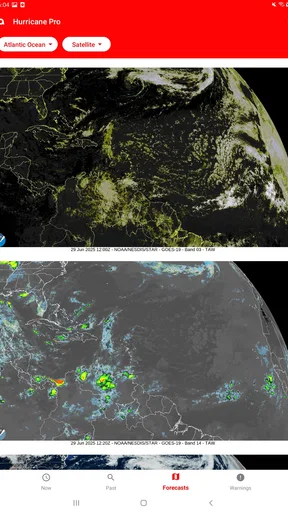
My Hurricane Tracker Pro is designed to monitor tropical storms, hurricanes, and other significant weather systems. After reviewing the app, its main purpose is to provide users with storm paths, forecast information, alerts, radar or satellite-style visuals, and updates from recognized weather sources. It can be useful for residents, travelers, boaters, and anyone who wants a convenient way to follow developing tropical activity.
Does My Hurricane Tracker Pro provide real-time hurricane alerts?
The app is built around timely storm tracking and notifications, but the exact speed and availability of alerts can depend on your device settings, internet connection, location permissions, and the weather data source. Before relying on it, enable notifications and check that background activity is allowed. It should be treated as a helpful monitoring tool, not as a replacement for official emergency alerts or instructions from local authorities.
Can I use My Hurricane Tracker Pro to track storms near my location?
Yes, location-based tracking is one of the most useful features to look for in My Hurricane Tracker Pro. Depending on the version and permissions granted, the app can help display active systems and forecast information relevant to your area. However, users should verify that location access is enabled and remember that forecast cones represent uncertainty, not an exact prediction of where dangerous conditions will occur.
Is My Hurricane Tracker Pro free to download, and are there in-app purchases?
My Hurricane Tracker Pro may be offered as a paid app, a free download with premium features, or a version that includes optional purchases, depending on the platform and current store listing. Pricing and included tools can change over time. Before downloading, review the Google Play or App Store page carefully to confirm the purchase price, subscription terms, advertising model, and whether advanced alerts or weather layers require payment.
Can My Hurricane Tracker Pro replace official weather and emergency services?
No. Although My Hurricane Tracker Pro can make storm information easier to follow, it should not be your only source during a hurricane or other severe-weather event. Forecasts can change quickly, and app updates may be delayed by connectivity or data limitations. Always compare information with official meteorological agencies, local emergency management notices, evacuation instructions, and government alerts before making safety-related decisions.


